
Redaction
On the Redaction tab, you can configure settings for redacting sensitive information in a document.
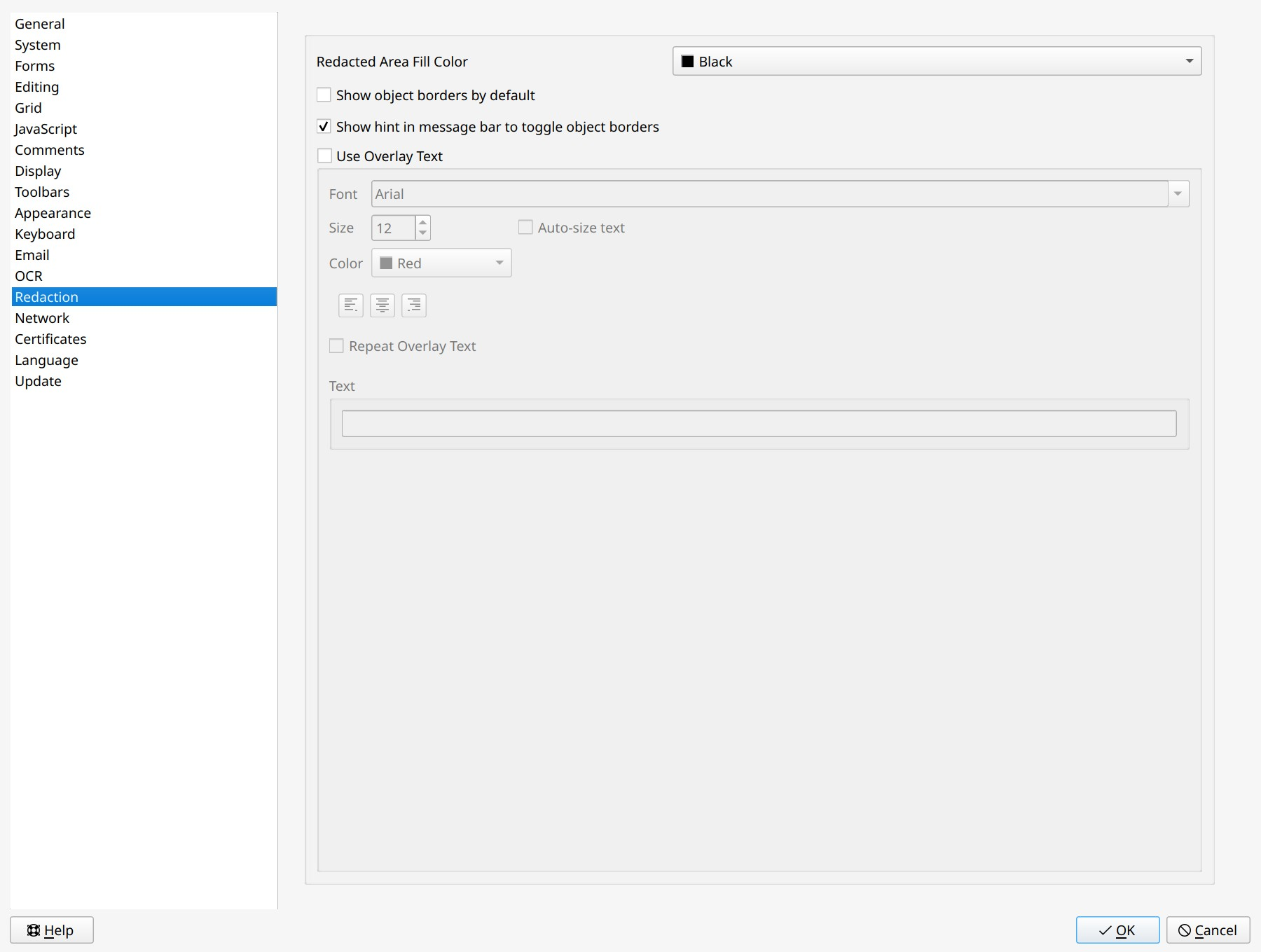
- Redacted Area Fill Color. Specifies the default color to fill the redacted area blocks.
- Show object borders by default. Shows borders of all objects by default to redact them more accurately.
- Show hint in message bar to toggle object borders. If enabled, shows a message suggesting to display object borders.
- Use Overlay Text. This option puts a specified text over each redacted block. You can specify Font, Size, Color, and alignment of the text.
- Auto-size text. Automatically adjusts the size of the overlay text to the size of the redacted area.
- Repeat Overlay Text. This option will fill the entire redacted area with the specified text, repeated multiple times.