
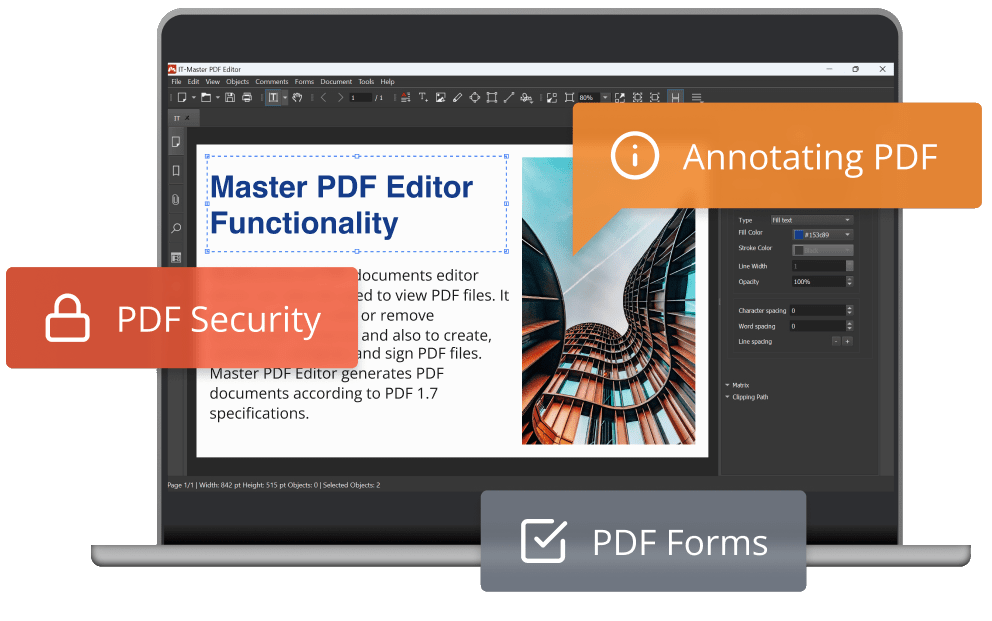
Commercial version of Master PDF Editor for Windows
Master PDF Editor is an efficient and reliable tool for working with PDF files.
Edit and annotate files, scan and print documents, create and fill in forms with ease and convenience.
 PDF Editor
In a PDF document, you can edit or add text with any formatting, insert images or edit any objects.

Annotating PDF
Comment documents with stamps, notes, selection, text underlining or strikethrough and other tools.

PDF forms
Fill PDF forms in a fast and simple way. Add and edit PDF control elements like flags, buttons, lists, etc.
Download Master PDF Editor 5 for Windows Now
Download Master PDF Editor for Windows 10, 11 (64 bit)
Windows 7, 8 (32 bit)
masterPDFEditor-setup-qt5-x86.msi
Windows 7, 8 (64 bit)
masterPDFEditor-setup-qt5-x64.msi
Master PDF Editor - Online Manual
Install Master PDF Editor on Windows
What is new in Master PDF Editor 5
The unregistered version can be used only in personal, noncommercial purposes to view documents, fill PDF forms, comment and print documents. In order to use the application for commercial purposes, and with its full functionality you are required to purchase a license.
Functionality comparison of the unregistered and commercial versions:
| Function | Unregistered version | Commercial version |
|---|---|---|
| Create new PDF document from scanner or existing file(s) | + | + |
| Fill PDF forms | + | + |
| Add and/or edit bookmarks in PDF files | + | + |
| Comment and annotate PDF documents | + | + |
| Split and merge PDF documents | + | + |
| Edit PDF text and images, Create PDF Form | - | + |
| Optimize PDFs | - | + |
| "Paste to Multiple Pages" function | - | + |
| Add/Edit Document Actions | - | + |
| Manage Document JavaScript | - | + |
| Page Properties options | - | + |
| Sign PDF document with digital signature | - | + |
| Add Headers and Footers to PDFs | - | + |
| Add Watermarks to PDFs | - | + |
| Add Backgrounds to PDFs | - | + |
| 256 bit AES encryption | - | + |
Download Master PDF Editor for other operating systems:
Download Master PDF Editor for Linux
Master PDF Editor for macOS